

(1)(3)(1).png "Big Bank Heists")







11.139.476
11.508
11.139.476
11.508
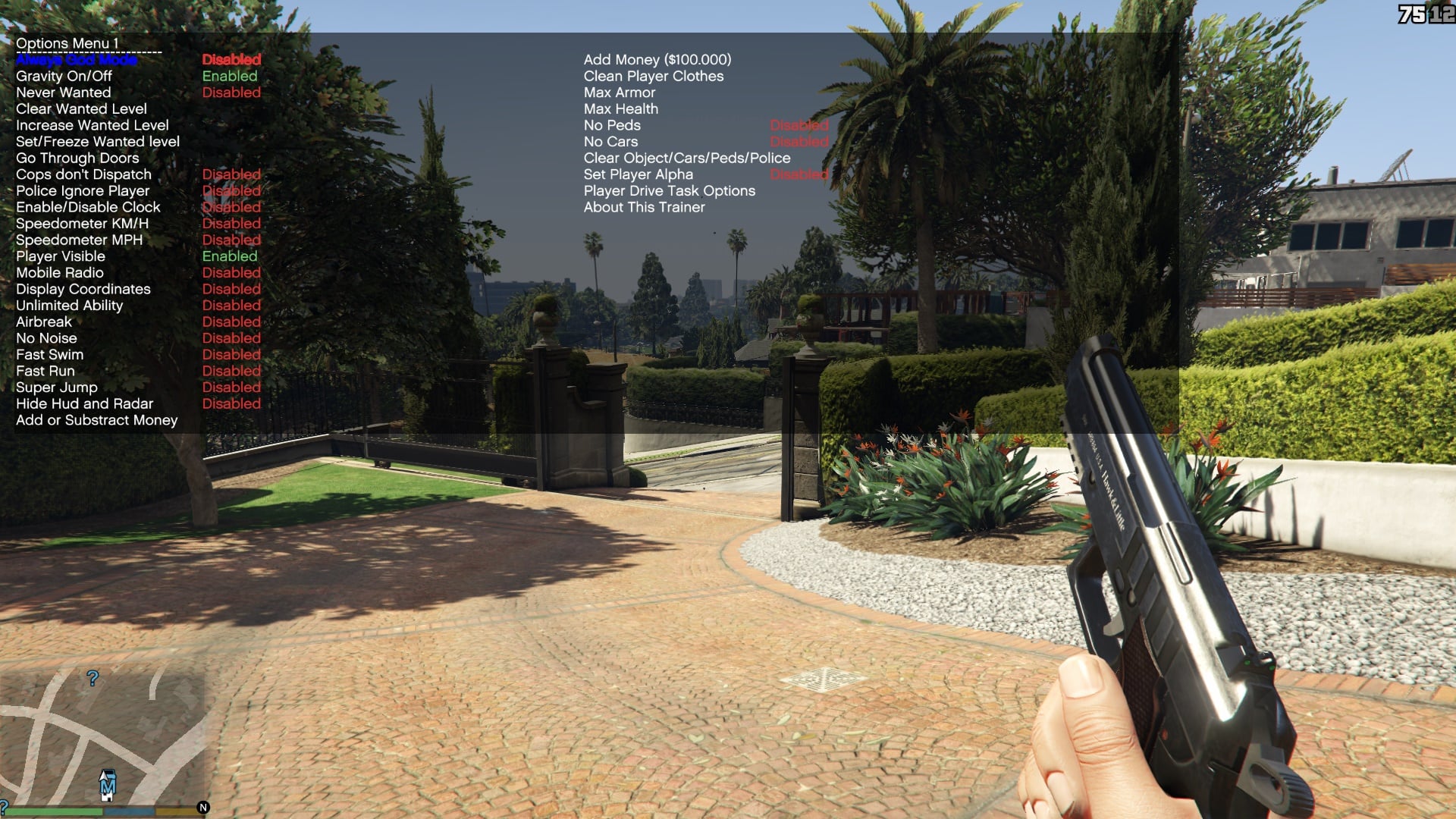
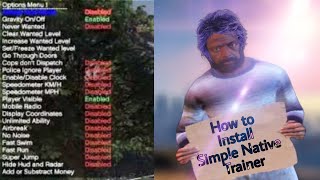
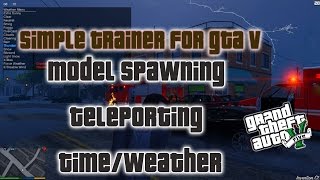
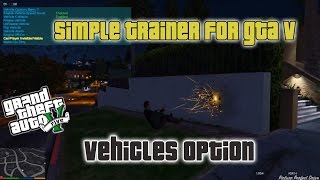
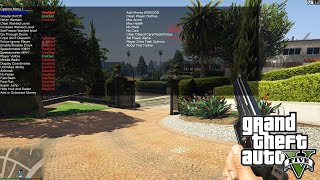
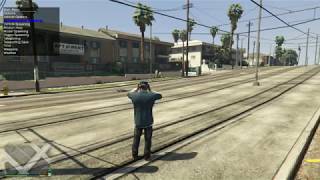
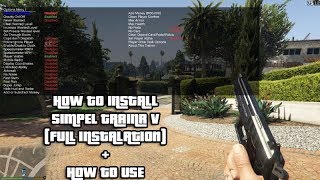
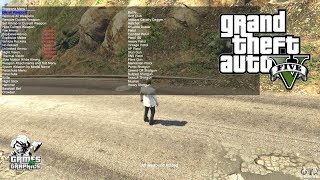
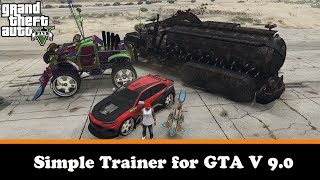
Various options normal to any trainer, the world's simplest speedometer, either in KM/H or MP/H or both, 60 Teleporting options that can be customized using the trainerv.ini, 12 vehicle spawning options assigned to hotkeys, which also can be customized using trainer.ini, all other car models can be spawned by using the menu. you can force a default station in each vehicle you enter, or when using the mobile radio, both configurable in game and using the trainer.ini You can change your player model using the menu.
It also features time and weather options, and a bunch of car options Also any predefined teleport slot can be customized in game, overwriting the predefined values
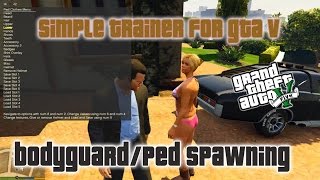
The trainer also includes bodyguard /ped spawning, any model can be spawned, any weapon can be given , defaults in trainer.ini, these can also be altered using the bodyguard menu in game. In additional to bodyguards, also drivers, combat peds and peds and drivers that attack the player can be spawned. Normal peds can be given a total of ten tasks. You can assign the same tasks to the last spawned ped. You can set the bodyguards to follow you in a car. You can also select a specific ped and do stuff on the selected ped.
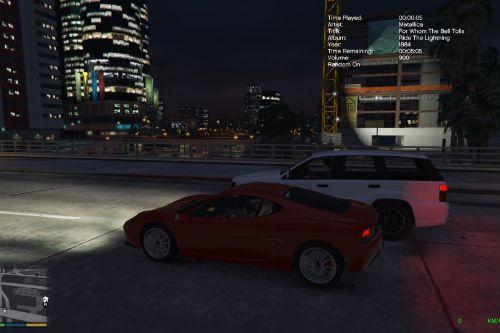
The trainer includes the mobile radio, which works outside of the car, all features that are available with the normal radio, also work with the mobile radio.
Trainer.ini contains the defaults section, where you can set certain settings to be enabled on game start.
More information and installation instructions available in the ReadMe.
Changes from 16.2
-The problem with gen9 console exclusive clothes has been solved, you can now select all clothes, and the navigation will go through. Of course, the gen9 clothes cannot be applied, as they are not on PC.
-Added text labels for the MP_M and MP_F freemode models in clothing menu. (Thanks Rootcause !).
No Ini Changes
Changes from 16.3
-small fixes in clothes menu.
-added garage system in Agencies, each garage holds 25 vehicles. Each Pedmodel has it's own garage. Just enter with a vehicle, and that vehicle will be placed on the first available slot and saved, until all 25 slots are used up. If the garage is full, you will need to delete one vehicle if you want to enter with a vehicle (unless you exited with that same vehicle). When you drive out a parked vehicle, the vehicle is not removed and will be there when you return. You have the ability to delete or modify the vehicle when parked, there is also a management system that will allow you to delete or modify the vehicle or move the vehicle to any available slot.
No Ini Changes.
Changes from 16.4
-ability to change the garage interior from Vehicle Management menu in each garage, this will also change the Agency interior once you save to ini, also when you change the Agency, and save to ini, the garage will also change. Also ability to set a radio and station per garage, also saved when saving to ini.
-various small fixes for the agency garage system.
-fixed a potential problem where people that have default radio station enabled, have set the station to a non existing radio in their game, when that happens, I set the value to the highest it can possibly get on your game copy.
No Ini Changes
Changes from 16.5
-fixed problem with off-road menu and other teleport 2 menu.
-fixed problem with default radio station.
-added Eclipse Boulevard 50 car garage, with the ability to choose the floor you want to enter by car too, the agency garages have also been changed for this. The only exception is when you return an existing car, that one will go to the previous slot.
-Also added the Casino Penthouse Garage, 10 cars and the Casino Garage, 38 cars, works the same as above garages. In total the trainer now supports 198 slots per character.
No ini Changes.
Changes from 16.6
-fixed small bug in garage system when deleting vehicle, also fixed a few more small bugs in the garage system.
-added the Arena Garages, in total 30 cars.
-Swapped keys for Garages, E = Modify, Z=Delete.
-added 18 vehicles.
-added 6 vehicle crew emblems.
-added 10 peds to Spawn MP Ch3 + MP 2023 + MP 2024
-added 3 teleports in other teleports 2 MP202402 teleports
-added 366 objects to objects 62.
-added 3555 animations to Animations MP xmas3/MP2023/2024.
-added 8 cutscenes.
-added 9 timcecycles.
-added 14 voices and 1822 speeches.
-added 1 hair for both male/female.
-added support for FiveM 3411 version.
PLEASE NOTE:
Rockstar wrongly defined some clothes that would lead to a fat crash to desktop on a few items of clothing, no idea if they are going to fix this. To fix the crash, download https://forum.jvangent.com/download/gen9_exclusive_assets_peds.meta and put his file into MODS\update\update.rpf\common\data
Thanks to root for sharing this file with me.
No ini Changes.
Changes from 16.7
-fixed a bug with the new Arena Garage and changing the interior.
-added the Tuner Garages, 5 garages each with 10 cars.
-added the Nightclub garages, 5 floors with 10 cars each, 10 nightclubs. This brings the total number of garage parking slots in Trainer to 778 for each character.
-Also ability to set the nightclub and the garage interior at each location. For the Garage, it can be changed at the usual place (the garage console) for the Nightclub, when you come in from the outside, I show the menu, otherwise, you can always access the menu to change the nightclub by going to the office near the computer with the nightclub name and press E to bring up the menu. Also working elevators that bring you to the nightclub, the garages and the exits.
-when you press E to enter the garage, now the number of available parking slots per floor are displayed.
-added radios in Arena garages, Nightclub garages and the Casino garages.
-for the lazy drivers, the in vehicle options now include an option to exit the garage, without having to drive to the door.
-added blips for the garages.(4 Agencies, Eclipse boulevard, Casino, Arena 5 Tuner and 10 Nightclub Garages). If you don't want the blips, add Garageblips=0 to defaults section of Ini.
-added markers for Garage entrances (Green), Office entrances (Yellow), Agency entrances (Red), Casino entrances (Cyan) and Nightclub entrances (Orange).
-changed the livery menu, so you can scroll through all valid liveries. This was needed due to gen9 exclusive liveries.
No ini Changes.
Changes from 16.8 = What's new in 16.9
-added an entry to the Casino loading area (at the back of the casino), also added the loading area and the vault to the lift menu for the Casino.
-added shortcut to enable mobile radio, G+5, you can customize this by adding MRadioKey1 and MRadioKey2 with relevant values in keybindings section of trainerv.ini.
-you can disable most entrances in game (casino, offices, nightclubs, agencies, for compatibility with other mods by setting EnableEntrances=0 in defaults section in ini.
-support for the Enhanced version, this means the 5 vehicles and one weapon can now be spawned, also restrictions on certain liveries and vehicle mods should also be lifted, same goes for clothes.
-added Vinewood Club Garages in other teleports 2, MP 202401 teleports (Enhanced only). Added elevator as well.
-create Vinewood Club garage, 100 cars on five floors. Enhanced only.
-added support for Chameleon Colors. Enhanced only.
-We have the ability to backport Gen9 content back to Legacy, if you did backport content, you can add OverrideDetection=1 in defaults section of ini, in which case Trainer will run as if you are running Enhanced in Legacy.
-Some things will not work on enhanced. N for next song is disabled, so is the autodetection of add-on vehicles, for now they need to be defined in ini again. Also tracks for snow does not work on enhanced.
-YOU CAN USE YOUR EXISTING INI. Just copy it from legacy to enhanced.
No ini Changes.
Changes from 16.9= What's new in 17.0
-fixed vehicle search not working on enhanced.
-fixed vehicle and ped tracks for snow on enhanced.
-Thanks to Vincent, the unlockallobjects code works again on Enhanced, making the MOC teleport work again, and other objects that wouldn't spawn without it, now do spawn.
-change the vehicle spawn menus to use GXT instead of hardcoded values.
-fixed various other small issues.
No ini Changes.
Changes from 17.0 = What's new in 17.1
-you can now apply Chameleon Pearls.
-fixed an issue that would lead to trainer crashing when loading a save or replaying a mission.
-thanks to avail the autodetect for add-on vehicles is back on enhanced.
No ini Changes.
Changes from 17.1 = What's new in 17.2
-Chameleon paints didn't have the correct pearl applied, this is now fixed.
-reveal map would revert after using director mode, this is now fixed.
No ini Changes.
Changes from 17.2 = What's new in 17.3
-fixed crash on Fivem, this was due to the wrong process name being used.
-added a few missing vehicles for mines when all mines is disabled.
-Major Overhaul for Vehicle color menu:
-setting primary, secondary or pearls will no longer reset custom RGB colors.
-ability to change the color material for primary and secondary colors, these options are in the custom color menu, but do apply to normal and custom colors, they do NOT work for Chameleon paints though.Thanks to isjustcurtis.
-copied the dashboard color and trim color to color menu as well, those are also saved when you use save color, removed support for Chameleon Dash and Trim colors (they don't work) but added support for added colors.
-added one missing color (Worn, 86 blue).
-random color now also takes addon colors and Dash and Trim into account.
-added support for entering 6 digits hex code to support crew colors.
-fixed problem in 100 car garage, where you would lose a car if you exited whilst editing the vehicle in the mod shop, I prevent you from exiting the car in this garage.
-update the recording UI and despawn globals for Enhanced (they are automatically detected on Legacy).
-added 19 Vehicles.
-added 14 Vehicle Crew Emblems.
-added 18 Peds to MP Ch3 + 2023 + 2024 + 2025.
-added 1 weapon.
-added 5 teleports to MP202501 teleports in Other Teleport 2 menu.
-added 352 objects to objects 62.
-added 5071 animations to Animations MP xmas3/MP2023/2024/2025.
-added 4 cutscenes.
-added 12 timecycles.
-added 16 Voices and 1331 Speeches.
No ini Changes.
Changes from 17.3 = What's new in 17.4
-ability to change color in Smoke/Higgins interiors.
-fixed a problem with the Entity MT on enhanced.
-added support for FiveM 3570 and 3586.
No ini Changes.
Changes from 17.4 = What's new in 17.5
-fixed an issue with Trainer not working if you have the .net hook for enhanced running
No ini Changes.
Changes from 17.5 = What's new in 17.6
-N for Next song returns on Enhanced.
-the dirt color for vehicles when snow is enabled is also back on Enhanced.
-the trainer now also autodetects the recording UI and the despawn global on Enhanced, just like on legacy.
All these changes are thanks to Chiheb-Bacha who got the patterns on Enhanced, much appreciated !
This means the trainer has the exact same features on Enhanced as on Legacy.
-added a shortcut for TV as requested, RCTRL+T.
No ini Changes.
Changes from 17.6 = What's new in 17.7
-vehicle crew emblem is now applied on both sides of the vehicle if vehicle support this.
-ability to warp in vehicle when you load a vehicle from the Vehicle Load Save menu, add WarpInCarSaved=1 into defaults section of TrainerV.ini.
-removed chameleon colors from wheel colors and added a separate option for chameleon wheel colors.
-b for previous song. this works correctly for my Radio mod, because I have all the time stamps in trainer, N and B work correctly, for vanilla stations it just goes up or back 200000 ms.
No ini changes
Changes from 17.7 = What's new in 17.8
-added 15 Vehicles.
-added 12 Vehicle Crew Emblems.
-added 12 Peds to MP Ch3 + 2023 + 2024 + 2025.
-added the three mansions to MP202502 teleports in Other Teleports 2 menu, however, the mansions are built when you enable MP maps, so no need to use the teleport menu, you could just walk in. You can customize the mansion and music going to the office, near the big AI screen, or by pressing Ralt+H whilst inside the mansion, to display the Mansion Menu. You can change the keys by putting MansionKey1 and MansionKey2 in keybindings in the ini.
Working elevator in the Mansions, showers and beds also put in, couches are also there, and some chairs and benches (L+NUM0) have also been added. The TV in the living room and the big screen in the media room work with the tv feature of trainer. Decoration and Trophies, and a working garage will be added later.
-added 1 weapon.
-added 1110 objects to objects 62.
-added 13 cutscenes.
-added 8339 animations to Animations MP xmas3/MP2023/2024/2025.
-added 22 timecycles.
-added 28 Voices and 824 Speeches.
No ini changes
Changes from 17.8 = What's new in 17.9
-fixed radio not correctly working in Mansion Club.
-fixed radio not being set to right station in Mansions and Mansion Club at first entry.
-some more small Mansion fixes, you can now jump off the roof and the gates open when you are near.
-added some more Mansion customization. The decorations and trophies will follow next year. if feasible.
-added Garage in the Mansions, 23 slots, not 20, the two slots outside and the podium slot are fully functional slots. All the usual features are there. The garage is loaded when you teleport, or when you load it yourself at the mansion entry, or at the garage entry. This now brings the total number of slots in garages to 947 for each character.
-yes I even added the bloody Piano music.
-changed trainer to put on swimgear when the three playermodels or the two MP models go into a pool or the three mansion hottubs.
-disabled the indicator lights for controller. If you still want this feature, add Cindicatorenabled=1 in defaults section.
-fixed an issue caused by R. Please, if you disabled some keybindings in ini, using value 400, change those to -1.
Now I do get a lot of questions about garageblips and entrance markers, to disable garage blips add garageblips=0 in defaults section of trainerv.ini, to disable the entrance markers add EnableEntrances=0
in defaults section of trainerV.ini and from this version onwards, to disable the garage markers, add garagemarkers=0 in defaults secion of trainerV.ini.
IMPORTANT !
since R has enabled direct storage on Enhanced, there is no way to write to trainerv.ini in-game anymore, therefore you need to change the location of that file, and move it out of the game directory. If you are on legacy, copy the trainerv.ini to %appdata%\trainerv\legacy\ if trainerv\legacy doesn't exist, either create the folders or run the game once, as it will create those directories for you. On Enhanced you move the ini file to %appdata%\trainerv\enhanced. Note how %appdata% is an environment variable the full path is c:\users\YOURUSERNAME\AppData\Roaming\trainerv\legacy or c:\users\YOURUSERNAME\AppData\Roaming\trainerv\enhanced.
Some people have noticed slower saving times when doing this, for this you just need to add a folder exception in Windows defender, or whatever AV you are using. For windows defender: search for Windows security, Virus & thread protection settings, manage settings, exclusions, add or remove exclusions, add an exclusion, folder, and now type in %appdata% into the address bar, and select trainerv folder, and select folder.
To make the defender exception you could also run powershell as admin and enter : Add-MpPreference -ExclusionPath $env:APPDATA"\trainerv"
The same applies to other ini files the game might load and save, like weapons1.ini - weapons20.in and objects.ini-objects4.ini, copy them to the same folder as well.
Now I also give you the option to leave the trainerv.ini in the root directory, which for enhanced will require an additional mod (DirectStorageFix) to utilize this option, you would need to create, not copy trainerv.ini in the locations above, that ini should just contain this:
[defaults]
inilocation="c:\program files\Grand Theft Auto V Enhanced\trainerV.ini"
the path is just an example, remember to use quotes if there are spaces in the path.
I still recommend you to not change this new behavior and place the ini in %appdata%\trainerv\legacy or %appdata%\trainerv\enhanced.
No ini changes.
Changes from 17.9 = What's new in 18.0
-Ability to disable the changing to swimwear when entering pools, go to options menu, change to swimwear, enable or disable and save settings to trainerv.ini. Or add changeswimwear=0 to defaults section of trainerv.ini.
-Decorations in the Mansions, 20 positions, they will be saved if you select save mansion, and loaded on game start.
-Trophies in the Mansions, 5 positions, they will also be saved when you select save mansion and loaded.Please be aware that the last trophy, is a gen9 exclusive, so that one won't work on Legacy.
-Plaques in the Mansions, 8 positions, again they will be saved when you select save mansion. Please be aware that plaques are gen9 exclusive, so they won't work on Legacy.
-the Arcade is also customizable, 19 positions, will also be saved when you select save mansions.
-Added ability to select cat or dog in each mansion. You can pet them, enable blips for them and name them.
-Get Damaged object ID will now also save coords to trainerv.ini, section-Damagedobject.
AGAIN:
IMPORTANT !
since R has enabled direct storage on Enhanced, there is no way to write to trainerv.ini in-game anymore, therefore you need to change the location of that file, and move it out of the game directory. If you are on legacy, copy the trainerv.ini to %appdata%\trainerv\legacy\ if trainerv\legacy doesn't exist, either create the folders or run the game once, as it will create those directories for you. On Enhanced you move the ini file to %appdata%\trainerv\enhanced. Note how %appdata% is an environment variable the full path is c:\users\YOURUSERNAME\AppData\Roaming\trainerv\legacy or c:\users\YOURUSERNAME\AppData\Roaming\trainerv\enhanced.
Some people have noticed slower saving times when doing this, for this you just need to add a folder exception in Windows defender, or whatever AV you are using. For windows defender: search for Windows security, Virus & thread protection settings, manage settings, exclusions, add or remove exclusions, add an exclusion, folder, and now type in %appdata% into the address bar, and select trainerv folder, and select folder.
To make the defender exception you could also run powershell as admin and enter : Add-MpPreference -ExclusionPath $env:APPDATA"\trainerv"
No ini changes.
Changes from 18.0 = What's new in 18.1
-since there are still people that don't read, this version will copy the trainerV.ini from game root to %appdata%\trainerV\enhanced or %appdata%\TrainerV\legacy if the file does not exist. If it does, it won't copy it.
-ability to disble showers, couches and beds in other teleports 2 menu, this will be saved if save all settings is used.
-ability to disable Garageblips, Entrance Markers and Garagemarkers in other teleports 2 menu, will also be saved if save all settings is used.
-ability to lie down on the lounger L+Num2, if you don't want this keycombo, add sitkey3 and sitkey4 in keybindings section and set both to -1. Thanks to HKH19 for providing me the code. It's also on options menu.
-improved the sit down function (L + Num0) also thanks to HKH19.
-added the lightbar mod to Benny's vehicle mod menu.
-ability to search for timecycles in weather, timecycle menu.
-some speeches did not work, this is now fixed, thanks to HKH19.
-various other small fixes.
-ability to have working arcade machines, this requires a separate download with an edited version of ShinyWasabi's Arcade Games mod. This will make the arcade machines work in the Arcade teleport, the three mansions, the tuner garage teleport, and the 5 tuner garages, you can customize the slots and save them, just like you could previously, but now the machines will work. This will also add 2 arcades machines in all four Agencies, make the five arcade machines in the Casino Penthouse work, and will also put one arcade machine in the Music Studio and the Jugggalo Hideout teleport. To make this work, you need that separate download and you need to enable Working Arcade machines in other telports 2 menu and save all settings. Thanks to Shinywasibi for this.
-also added the ability to actually have custom (working) arcade machines, just use trainer to save objects and copy those over to a file called arcademachines.ini in %appdata%\trainerV/legacy or %appdata\trainerV\enhanced, these will be loaded at game start and also requires the edited version of Arcade Games mod above. All cabinets are supported except Kitty Claw, Nazar, Axe of Fury and the Love professor. You can still load them, but they won't work, the others will load and will work. For mutliple objects games (like Race and Chase) you only need to include the main object, Trainer will spawn the other objects for you.
Download for Arcade Games mod: https://forum.jvangent.com/download/arcadesp.rar
No Ini changes.
Changes from 18.1 = What's new in 18.2
-Fixed bug with vehicle spawner introduced in 18.1.
No Ini changes.
It also features time and weather options, and a bunch of car options Also any predefined teleport slot can be customized in game, overwriting the predefined values
The trainer also includes bodyguard /ped spawning, any model can be spawned, any weapon can be given , defaults in trainer.ini, these can also be altered using the bodyguard menu in game. In additional to bodyguards, also drivers, combat peds and peds and drivers that attack the player can be spawned. Normal peds can be given a total of ten tasks. You can assign the same tasks to the last spawned ped. You can set the bodyguards to follow you in a car. You can also select a specific ped and do stuff on the selected ped.
The trainer includes the mobile radio, which works outside of the car, all features that are available with the normal radio, also work with the mobile radio.
Trainer.ini contains the defaults section, where you can set certain settings to be enabled on game start.
More information and installation instructions available in the ReadMe.
Changes from 16.2
-The problem with gen9 console exclusive clothes has been solved, you can now select all clothes, and the navigation will go through. Of course, the gen9 clothes cannot be applied, as they are not on PC.
-Added text labels for the MP_M and MP_F freemode models in clothing menu. (Thanks Rootcause !).
No Ini Changes
Changes from 16.3
-small fixes in clothes menu.
-added garage system in Agencies, each garage holds 25 vehicles. Each Pedmodel has it's own garage. Just enter with a vehicle, and that vehicle will be placed on the first available slot and saved, until all 25 slots are used up. If the garage is full, you will need to delete one vehicle if you want to enter with a vehicle (unless you exited with that same vehicle). When you drive out a parked vehicle, the vehicle is not removed and will be there when you return. You have the ability to delete or modify the vehicle when parked, there is also a management system that will allow you to delete or modify the vehicle or move the vehicle to any available slot.
No Ini Changes.
Changes from 16.4
-ability to change the garage interior from Vehicle Management menu in each garage, this will also change the Agency interior once you save to ini, also when you change the Agency, and save to ini, the garage will also change. Also ability to set a radio and station per garage, also saved when saving to ini.
-various small fixes for the agency garage system.
-fixed a potential problem where people that have default radio station enabled, have set the station to a non existing radio in their game, when that happens, I set the value to the highest it can possibly get on your game copy.
No Ini Changes
Changes from 16.5
-fixed problem with off-road menu and other teleport 2 menu.
-fixed problem with default radio station.
-added Eclipse Boulevard 50 car garage, with the ability to choose the floor you want to enter by car too, the agency garages have also been changed for this. The only exception is when you return an existing car, that one will go to the previous slot.
-Also added the Casino Penthouse Garage, 10 cars and the Casino Garage, 38 cars, works the same as above garages. In total the trainer now supports 198 slots per character.
No ini Changes.
Changes from 16.6
-fixed small bug in garage system when deleting vehicle, also fixed a few more small bugs in the garage system.
-added the Arena Garages, in total 30 cars.
-Swapped keys for Garages, E = Modify, Z=Delete.
-added 18 vehicles.
-added 6 vehicle crew emblems.
-added 10 peds to Spawn MP Ch3 + MP 2023 + MP 2024
-added 3 teleports in other teleports 2 MP202402 teleports
-added 366 objects to objects 62.
-added 3555 animations to Animations MP xmas3/MP2023/2024.
-added 8 cutscenes.
-added 9 timcecycles.
-added 14 voices and 1822 speeches.
-added 1 hair for both male/female.
-added support for FiveM 3411 version.
PLEASE NOTE:
Rockstar wrongly defined some clothes that would lead to a fat crash to desktop on a few items of clothing, no idea if they are going to fix this. To fix the crash, download https://forum.jvangent.com/download/gen9_exclusive_assets_peds.meta and put his file into MODS\update\update.rpf\common\data
Thanks to root for sharing this file with me.
No ini Changes.
Changes from 16.7
-fixed a bug with the new Arena Garage and changing the interior.
-added the Tuner Garages, 5 garages each with 10 cars.
-added the Nightclub garages, 5 floors with 10 cars each, 10 nightclubs. This brings the total number of garage parking slots in Trainer to 778 for each character.
-Also ability to set the nightclub and the garage interior at each location. For the Garage, it can be changed at the usual place (the garage console) for the Nightclub, when you come in from the outside, I show the menu, otherwise, you can always access the menu to change the nightclub by going to the office near the computer with the nightclub name and press E to bring up the menu. Also working elevators that bring you to the nightclub, the garages and the exits.
-when you press E to enter the garage, now the number of available parking slots per floor are displayed.
-added radios in Arena garages, Nightclub garages and the Casino garages.
-for the lazy drivers, the in vehicle options now include an option to exit the garage, without having to drive to the door.
-added blips for the garages.(4 Agencies, Eclipse boulevard, Casino, Arena 5 Tuner and 10 Nightclub Garages). If you don't want the blips, add Garageblips=0 to defaults section of Ini.
-added markers for Garage entrances (Green), Office entrances (Yellow), Agency entrances (Red), Casino entrances (Cyan) and Nightclub entrances (Orange).
-changed the livery menu, so you can scroll through all valid liveries. This was needed due to gen9 exclusive liveries.
No ini Changes.
Changes from 16.8 = What's new in 16.9
-added an entry to the Casino loading area (at the back of the casino), also added the loading area and the vault to the lift menu for the Casino.
-added shortcut to enable mobile radio, G+5, you can customize this by adding MRadioKey1 and MRadioKey2 with relevant values in keybindings section of trainerv.ini.
-you can disable most entrances in game (casino, offices, nightclubs, agencies, for compatibility with other mods by setting EnableEntrances=0 in defaults section in ini.
-support for the Enhanced version, this means the 5 vehicles and one weapon can now be spawned, also restrictions on certain liveries and vehicle mods should also be lifted, same goes for clothes.
-added Vinewood Club Garages in other teleports 2, MP 202401 teleports (Enhanced only). Added elevator as well.
-create Vinewood Club garage, 100 cars on five floors. Enhanced only.
-added support for Chameleon Colors. Enhanced only.
-We have the ability to backport Gen9 content back to Legacy, if you did backport content, you can add OverrideDetection=1 in defaults section of ini, in which case Trainer will run as if you are running Enhanced in Legacy.
-Some things will not work on enhanced. N for next song is disabled, so is the autodetection of add-on vehicles, for now they need to be defined in ini again. Also tracks for snow does not work on enhanced.
-YOU CAN USE YOUR EXISTING INI. Just copy it from legacy to enhanced.
No ini Changes.
Changes from 16.9= What's new in 17.0
-fixed vehicle search not working on enhanced.
-fixed vehicle and ped tracks for snow on enhanced.
-Thanks to Vincent, the unlockallobjects code works again on Enhanced, making the MOC teleport work again, and other objects that wouldn't spawn without it, now do spawn.
-change the vehicle spawn menus to use GXT instead of hardcoded values.
-fixed various other small issues.
No ini Changes.
Changes from 17.0 = What's new in 17.1
-you can now apply Chameleon Pearls.
-fixed an issue that would lead to trainer crashing when loading a save or replaying a mission.
-thanks to avail the autodetect for add-on vehicles is back on enhanced.
No ini Changes.
Changes from 17.1 = What's new in 17.2
-Chameleon paints didn't have the correct pearl applied, this is now fixed.
-reveal map would revert after using director mode, this is now fixed.
No ini Changes.
Changes from 17.2 = What's new in 17.3
-fixed crash on Fivem, this was due to the wrong process name being used.
-added a few missing vehicles for mines when all mines is disabled.
-Major Overhaul for Vehicle color menu:
-setting primary, secondary or pearls will no longer reset custom RGB colors.
-ability to change the color material for primary and secondary colors, these options are in the custom color menu, but do apply to normal and custom colors, they do NOT work for Chameleon paints though.Thanks to isjustcurtis.
-copied the dashboard color and trim color to color menu as well, those are also saved when you use save color, removed support for Chameleon Dash and Trim colors (they don't work) but added support for added colors.
-added one missing color (Worn, 86 blue).
-random color now also takes addon colors and Dash and Trim into account.
-added support for entering 6 digits hex code to support crew colors.
-fixed problem in 100 car garage, where you would lose a car if you exited whilst editing the vehicle in the mod shop, I prevent you from exiting the car in this garage.
-update the recording UI and despawn globals for Enhanced (they are automatically detected on Legacy).
-added 19 Vehicles.
-added 14 Vehicle Crew Emblems.
-added 18 Peds to MP Ch3 + 2023 + 2024 + 2025.
-added 1 weapon.
-added 5 teleports to MP202501 teleports in Other Teleport 2 menu.
-added 352 objects to objects 62.
-added 5071 animations to Animations MP xmas3/MP2023/2024/2025.
-added 4 cutscenes.
-added 12 timecycles.
-added 16 Voices and 1331 Speeches.
No ini Changes.
Changes from 17.3 = What's new in 17.4
-ability to change color in Smoke/Higgins interiors.
-fixed a problem with the Entity MT on enhanced.
-added support for FiveM 3570 and 3586.
No ini Changes.
Changes from 17.4 = What's new in 17.5
-fixed an issue with Trainer not working if you have the .net hook for enhanced running
No ini Changes.
Changes from 17.5 = What's new in 17.6
-N for Next song returns on Enhanced.
-the dirt color for vehicles when snow is enabled is also back on Enhanced.
-the trainer now also autodetects the recording UI and the despawn global on Enhanced, just like on legacy.
All these changes are thanks to Chiheb-Bacha who got the patterns on Enhanced, much appreciated !
This means the trainer has the exact same features on Enhanced as on Legacy.
-added a shortcut for TV as requested, RCTRL+T.
No ini Changes.
Changes from 17.6 = What's new in 17.7
-vehicle crew emblem is now applied on both sides of the vehicle if vehicle support this.
-ability to warp in vehicle when you load a vehicle from the Vehicle Load Save menu, add WarpInCarSaved=1 into defaults section of TrainerV.ini.
-removed chameleon colors from wheel colors and added a separate option for chameleon wheel colors.
-b for previous song. this works correctly for my Radio mod, because I have all the time stamps in trainer, N and B work correctly, for vanilla stations it just goes up or back 200000 ms.
No ini changes
Changes from 17.7 = What's new in 17.8
-added 15 Vehicles.
-added 12 Vehicle Crew Emblems.
-added 12 Peds to MP Ch3 + 2023 + 2024 + 2025.
-added the three mansions to MP202502 teleports in Other Teleports 2 menu, however, the mansions are built when you enable MP maps, so no need to use the teleport menu, you could just walk in. You can customize the mansion and music going to the office, near the big AI screen, or by pressing Ralt+H whilst inside the mansion, to display the Mansion Menu. You can change the keys by putting MansionKey1 and MansionKey2 in keybindings in the ini.
Working elevator in the Mansions, showers and beds also put in, couches are also there, and some chairs and benches (L+NUM0) have also been added. The TV in the living room and the big screen in the media room work with the tv feature of trainer. Decoration and Trophies, and a working garage will be added later.
-added 1 weapon.
-added 1110 objects to objects 62.
-added 13 cutscenes.
-added 8339 animations to Animations MP xmas3/MP2023/2024/2025.
-added 22 timecycles.
-added 28 Voices and 824 Speeches.
No ini changes
Changes from 17.8 = What's new in 17.9
-fixed radio not correctly working in Mansion Club.
-fixed radio not being set to right station in Mansions and Mansion Club at first entry.
-some more small Mansion fixes, you can now jump off the roof and the gates open when you are near.
-added some more Mansion customization. The decorations and trophies will follow next year. if feasible.
-added Garage in the Mansions, 23 slots, not 20, the two slots outside and the podium slot are fully functional slots. All the usual features are there. The garage is loaded when you teleport, or when you load it yourself at the mansion entry, or at the garage entry. This now brings the total number of slots in garages to 947 for each character.
-yes I even added the bloody Piano music.
-changed trainer to put on swimgear when the three playermodels or the two MP models go into a pool or the three mansion hottubs.
-disabled the indicator lights for controller. If you still want this feature, add Cindicatorenabled=1 in defaults section.
-fixed an issue caused by R. Please, if you disabled some keybindings in ini, using value 400, change those to -1.
Now I do get a lot of questions about garageblips and entrance markers, to disable garage blips add garageblips=0 in defaults section of trainerv.ini, to disable the entrance markers add EnableEntrances=0
in defaults section of trainerV.ini and from this version onwards, to disable the garage markers, add garagemarkers=0 in defaults secion of trainerV.ini.
IMPORTANT !
since R has enabled direct storage on Enhanced, there is no way to write to trainerv.ini in-game anymore, therefore you need to change the location of that file, and move it out of the game directory. If you are on legacy, copy the trainerv.ini to %appdata%\trainerv\legacy\ if trainerv\legacy doesn't exist, either create the folders or run the game once, as it will create those directories for you. On Enhanced you move the ini file to %appdata%\trainerv\enhanced. Note how %appdata% is an environment variable the full path is c:\users\YOURUSERNAME\AppData\Roaming\trainerv\legacy or c:\users\YOURUSERNAME\AppData\Roaming\trainerv\enhanced.
Some people have noticed slower saving times when doing this, for this you just need to add a folder exception in Windows defender, or whatever AV you are using. For windows defender: search for Windows security, Virus & thread protection settings, manage settings, exclusions, add or remove exclusions, add an exclusion, folder, and now type in %appdata% into the address bar, and select trainerv folder, and select folder.
To make the defender exception you could also run powershell as admin and enter : Add-MpPreference -ExclusionPath $env:APPDATA"\trainerv"
The same applies to other ini files the game might load and save, like weapons1.ini - weapons20.in and objects.ini-objects4.ini, copy them to the same folder as well.
Now I also give you the option to leave the trainerv.ini in the root directory, which for enhanced will require an additional mod (DirectStorageFix) to utilize this option, you would need to create, not copy trainerv.ini in the locations above, that ini should just contain this:
[defaults]
inilocation="c:\program files\Grand Theft Auto V Enhanced\trainerV.ini"
the path is just an example, remember to use quotes if there are spaces in the path.
I still recommend you to not change this new behavior and place the ini in %appdata%\trainerv\legacy or %appdata%\trainerv\enhanced.
No ini changes.
Changes from 17.9 = What's new in 18.0
-Ability to disable the changing to swimwear when entering pools, go to options menu, change to swimwear, enable or disable and save settings to trainerv.ini. Or add changeswimwear=0 to defaults section of trainerv.ini.
-Decorations in the Mansions, 20 positions, they will be saved if you select save mansion, and loaded on game start.
-Trophies in the Mansions, 5 positions, they will also be saved when you select save mansion and loaded.Please be aware that the last trophy, is a gen9 exclusive, so that one won't work on Legacy.
-Plaques in the Mansions, 8 positions, again they will be saved when you select save mansion. Please be aware that plaques are gen9 exclusive, so they won't work on Legacy.
-the Arcade is also customizable, 19 positions, will also be saved when you select save mansions.
-Added ability to select cat or dog in each mansion. You can pet them, enable blips for them and name them.
-Get Damaged object ID will now also save coords to trainerv.ini, section-Damagedobject.
AGAIN:
IMPORTANT !
since R has enabled direct storage on Enhanced, there is no way to write to trainerv.ini in-game anymore, therefore you need to change the location of that file, and move it out of the game directory. If you are on legacy, copy the trainerv.ini to %appdata%\trainerv\legacy\ if trainerv\legacy doesn't exist, either create the folders or run the game once, as it will create those directories for you. On Enhanced you move the ini file to %appdata%\trainerv\enhanced. Note how %appdata% is an environment variable the full path is c:\users\YOURUSERNAME\AppData\Roaming\trainerv\legacy or c:\users\YOURUSERNAME\AppData\Roaming\trainerv\enhanced.
Some people have noticed slower saving times when doing this, for this you just need to add a folder exception in Windows defender, or whatever AV you are using. For windows defender: search for Windows security, Virus & thread protection settings, manage settings, exclusions, add or remove exclusions, add an exclusion, folder, and now type in %appdata% into the address bar, and select trainerv folder, and select folder.
To make the defender exception you could also run powershell as admin and enter : Add-MpPreference -ExclusionPath $env:APPDATA"\trainerv"
No ini changes.
Changes from 18.0 = What's new in 18.1
-since there are still people that don't read, this version will copy the trainerV.ini from game root to %appdata%\trainerV\enhanced or %appdata%\TrainerV\legacy if the file does not exist. If it does, it won't copy it.
-ability to disble showers, couches and beds in other teleports 2 menu, this will be saved if save all settings is used.
-ability to disable Garageblips, Entrance Markers and Garagemarkers in other teleports 2 menu, will also be saved if save all settings is used.
-ability to lie down on the lounger L+Num2, if you don't want this keycombo, add sitkey3 and sitkey4 in keybindings section and set both to -1. Thanks to HKH19 for providing me the code. It's also on options menu.
-improved the sit down function (L + Num0) also thanks to HKH19.
-added the lightbar mod to Benny's vehicle mod menu.
-ability to search for timecycles in weather, timecycle menu.
-some speeches did not work, this is now fixed, thanks to HKH19.
-various other small fixes.
-ability to have working arcade machines, this requires a separate download with an edited version of ShinyWasabi's Arcade Games mod. This will make the arcade machines work in the Arcade teleport, the three mansions, the tuner garage teleport, and the 5 tuner garages, you can customize the slots and save them, just like you could previously, but now the machines will work. This will also add 2 arcades machines in all four Agencies, make the five arcade machines in the Casino Penthouse work, and will also put one arcade machine in the Music Studio and the Jugggalo Hideout teleport. To make this work, you need that separate download and you need to enable Working Arcade machines in other telports 2 menu and save all settings. Thanks to Shinywasibi for this.
-also added the ability to actually have custom (working) arcade machines, just use trainer to save objects and copy those over to a file called arcademachines.ini in %appdata%\trainerV/legacy or %appdata\trainerV\enhanced, these will be loaded at game start and also requires the edited version of Arcade Games mod above. All cabinets are supported except Kitty Claw, Nazar, Axe of Fury and the Love professor. You can still load them, but they won't work, the others will load and will work. For mutliple objects games (like Race and Chase) you only need to include the main object, Trainer will spawn the other objects for you.
Download for Arcade Games mod: https://forum.jvangent.com/download/arcadesp.rar
No Ini changes.
Changes from 18.1 = What's new in 18.2
-Fixed bug with vehicle spawner introduced in 18.1.
No Ini changes.
First Uploaded: 26. maj 2015
Last Updated: 2 dneva
Last Downloaded: manj kot 10 sekund
All Versions
18.778 Comments
More mods by sjaak327:
Various options normal to any trainer, the world's simplest speedometer, either in KM/H or MP/H or both, 60 Teleporting options that can be customized using the trainerv.ini, 12 vehicle spawning options assigned to hotkeys, which also can be customized using trainer.ini, all other car models can be spawned by using the menu. you can force a default station in each vehicle you enter, or when using the mobile radio, both configurable in game and using the trainer.ini You can change your player model using the menu.
It also features time and weather options, and a bunch of car options Also any predefined teleport slot can be customized in game, overwriting the predefined values
The trainer also includes bodyguard /ped spawning, any model can be spawned, any weapon can be given , defaults in trainer.ini, these can also be altered using the bodyguard menu in game. In additional to bodyguards, also drivers, combat peds and peds and drivers that attack the player can be spawned. Normal peds can be given a total of ten tasks. You can assign the same tasks to the last spawned ped. You can set the bodyguards to follow you in a car. You can also select a specific ped and do stuff on the selected ped.
The trainer includes the mobile radio, which works outside of the car, all features that are available with the normal radio, also work with the mobile radio.
Trainer.ini contains the defaults section, where you can set certain settings to be enabled on game start.
More information and installation instructions available in the ReadMe.
Changes from 16.2
-The problem with gen9 console exclusive clothes has been solved, you can now select all clothes, and the navigation will go through. Of course, the gen9 clothes cannot be applied, as they are not on PC.
-Added text labels for the MP_M and MP_F freemode models in clothing menu. (Thanks Rootcause !).
No Ini Changes
Changes from 16.3
-small fixes in clothes menu.
-added garage system in Agencies, each garage holds 25 vehicles. Each Pedmodel has it's own garage. Just enter with a vehicle, and that vehicle will be placed on the first available slot and saved, until all 25 slots are used up. If the garage is full, you will need to delete one vehicle if you want to enter with a vehicle (unless you exited with that same vehicle). When you drive out a parked vehicle, the vehicle is not removed and will be there when you return. You have the ability to delete or modify the vehicle when parked, there is also a management system that will allow you to delete or modify the vehicle or move the vehicle to any available slot.
No Ini Changes.
Changes from 16.4
-ability to change the garage interior from Vehicle Management menu in each garage, this will also change the Agency interior once you save to ini, also when you change the Agency, and save to ini, the garage will also change. Also ability to set a radio and station per garage, also saved when saving to ini.
-various small fixes for the agency garage system.
-fixed a potential problem where people that have default radio station enabled, have set the station to a non existing radio in their game, when that happens, I set the value to the highest it can possibly get on your game copy.
No Ini Changes
Changes from 16.5
-fixed problem with off-road menu and other teleport 2 menu.
-fixed problem with default radio station.
-added Eclipse Boulevard 50 car garage, with the ability to choose the floor you want to enter by car too, the agency garages have also been changed for this. The only exception is when you return an existing car, that one will go to the previous slot.
-Also added the Casino Penthouse Garage, 10 cars and the Casino Garage, 38 cars, works the same as above garages. In total the trainer now supports 198 slots per character.
No ini Changes.
Changes from 16.6
-fixed small bug in garage system when deleting vehicle, also fixed a few more small bugs in the garage system.
-added the Arena Garages, in total 30 cars.
-Swapped keys for Garages, E = Modify, Z=Delete.
-added 18 vehicles.
-added 6 vehicle crew emblems.
-added 10 peds to Spawn MP Ch3 + MP 2023 + MP 2024
-added 3 teleports in other teleports 2 MP202402 teleports
-added 366 objects to objects 62.
-added 3555 animations to Animations MP xmas3/MP2023/2024.
-added 8 cutscenes.
-added 9 timcecycles.
-added 14 voices and 1822 speeches.
-added 1 hair for both male/female.
-added support for FiveM 3411 version.
PLEASE NOTE:
Rockstar wrongly defined some clothes that would lead to a fat crash to desktop on a few items of clothing, no idea if they are going to fix this. To fix the crash, download https://forum.jvangent.com/download/gen9_exclusive_assets_peds.meta and put his file into MODS\update\update.rpf\common\data
Thanks to root for sharing this file with me.
No ini Changes.
Changes from 16.7
-fixed a bug with the new Arena Garage and changing the interior.
-added the Tuner Garages, 5 garages each with 10 cars.
-added the Nightclub garages, 5 floors with 10 cars each, 10 nightclubs. This brings the total number of garage parking slots in Trainer to 778 for each character.
-Also ability to set the nightclub and the garage interior at each location. For the Garage, it can be changed at the usual place (the garage console) for the Nightclub, when you come in from the outside, I show the menu, otherwise, you can always access the menu to change the nightclub by going to the office near the computer with the nightclub name and press E to bring up the menu. Also working elevators that bring you to the nightclub, the garages and the exits.
-when you press E to enter the garage, now the number of available parking slots per floor are displayed.
-added radios in Arena garages, Nightclub garages and the Casino garages.
-for the lazy drivers, the in vehicle options now include an option to exit the garage, without having to drive to the door.
-added blips for the garages.(4 Agencies, Eclipse boulevard, Casino, Arena 5 Tuner and 10 Nightclub Garages). If you don't want the blips, add Garageblips=0 to defaults section of Ini.
-added markers for Garage entrances (Green), Office entrances (Yellow), Agency entrances (Red), Casino entrances (Cyan) and Nightclub entrances (Orange).
-changed the livery menu, so you can scroll through all valid liveries. This was needed due to gen9 exclusive liveries.
No ini Changes.
Changes from 16.8 = What's new in 16.9
-added an entry to the Casino loading area (at the back of the casino), also added the loading area and the vault to the lift menu for the Casino.
-added shortcut to enable mobile radio, G+5, you can customize this by adding MRadioKey1 and MRadioKey2 with relevant values in keybindings section of trainerv.ini.
-you can disable most entrances in game (casino, offices, nightclubs, agencies, for compatibility with other mods by setting EnableEntrances=0 in defaults section in ini.
-support for the Enhanced version, this means the 5 vehicles and one weapon can now be spawned, also restrictions on certain liveries and vehicle mods should also be lifted, same goes for clothes.
-added Vinewood Club Garages in other teleports 2, MP 202401 teleports (Enhanced only). Added elevator as well.
-create Vinewood Club garage, 100 cars on five floors. Enhanced only.
-added support for Chameleon Colors. Enhanced only.
-We have the ability to backport Gen9 content back to Legacy, if you did backport content, you can add OverrideDetection=1 in defaults section of ini, in which case Trainer will run as if you are running Enhanced in Legacy.
-Some things will not work on enhanced. N for next song is disabled, so is the autodetection of add-on vehicles, for now they need to be defined in ini again. Also tracks for snow does not work on enhanced.
-YOU CAN USE YOUR EXISTING INI. Just copy it from legacy to enhanced.
No ini Changes.
Changes from 16.9= What's new in 17.0
-fixed vehicle search not working on enhanced.
-fixed vehicle and ped tracks for snow on enhanced.
-Thanks to Vincent, the unlockallobjects code works again on Enhanced, making the MOC teleport work again, and other objects that wouldn't spawn without it, now do spawn.
-change the vehicle spawn menus to use GXT instead of hardcoded values.
-fixed various other small issues.
No ini Changes.
Changes from 17.0 = What's new in 17.1
-you can now apply Chameleon Pearls.
-fixed an issue that would lead to trainer crashing when loading a save or replaying a mission.
-thanks to avail the autodetect for add-on vehicles is back on enhanced.
No ini Changes.
Changes from 17.1 = What's new in 17.2
-Chameleon paints didn't have the correct pearl applied, this is now fixed.
-reveal map would revert after using director mode, this is now fixed.
No ini Changes.
Changes from 17.2 = What's new in 17.3
-fixed crash on Fivem, this was due to the wrong process name being used.
-added a few missing vehicles for mines when all mines is disabled.
-Major Overhaul for Vehicle color menu:
-setting primary, secondary or pearls will no longer reset custom RGB colors.
-ability to change the color material for primary and secondary colors, these options are in the custom color menu, but do apply to normal and custom colors, they do NOT work for Chameleon paints though.Thanks to isjustcurtis.
-copied the dashboard color and trim color to color menu as well, those are also saved when you use save color, removed support for Chameleon Dash and Trim colors (they don't work) but added support for added colors.
-added one missing color (Worn, 86 blue).
-random color now also takes addon colors and Dash and Trim into account.
-added support for entering 6 digits hex code to support crew colors.
-fixed problem in 100 car garage, where you would lose a car if you exited whilst editing the vehicle in the mod shop, I prevent you from exiting the car in this garage.
-update the recording UI and despawn globals for Enhanced (they are automatically detected on Legacy).
-added 19 Vehicles.
-added 14 Vehicle Crew Emblems.
-added 18 Peds to MP Ch3 + 2023 + 2024 + 2025.
-added 1 weapon.
-added 5 teleports to MP202501 teleports in Other Teleport 2 menu.
-added 352 objects to objects 62.
-added 5071 animations to Animations MP xmas3/MP2023/2024/2025.
-added 4 cutscenes.
-added 12 timecycles.
-added 16 Voices and 1331 Speeches.
No ini Changes.
Changes from 17.3 = What's new in 17.4
-ability to change color in Smoke/Higgins interiors.
-fixed a problem with the Entity MT on enhanced.
-added support for FiveM 3570 and 3586.
No ini Changes.
Changes from 17.4 = What's new in 17.5
-fixed an issue with Trainer not working if you have the .net hook for enhanced running
No ini Changes.
Changes from 17.5 = What's new in 17.6
-N for Next song returns on Enhanced.
-the dirt color for vehicles when snow is enabled is also back on Enhanced.
-the trainer now also autodetects the recording UI and the despawn global on Enhanced, just like on legacy.
All these changes are thanks to Chiheb-Bacha who got the patterns on Enhanced, much appreciated !
This means the trainer has the exact same features on Enhanced as on Legacy.
-added a shortcut for TV as requested, RCTRL+T.
No ini Changes.
Changes from 17.6 = What's new in 17.7
-vehicle crew emblem is now applied on both sides of the vehicle if vehicle support this.
-ability to warp in vehicle when you load a vehicle from the Vehicle Load Save menu, add WarpInCarSaved=1 into defaults section of TrainerV.ini.
-removed chameleon colors from wheel colors and added a separate option for chameleon wheel colors.
-b for previous song. this works correctly for my Radio mod, because I have all the time stamps in trainer, N and B work correctly, for vanilla stations it just goes up or back 200000 ms.
No ini changes
Changes from 17.7 = What's new in 17.8
-added 15 Vehicles.
-added 12 Vehicle Crew Emblems.
-added 12 Peds to MP Ch3 + 2023 + 2024 + 2025.
-added the three mansions to MP202502 teleports in Other Teleports 2 menu, however, the mansions are built when you enable MP maps, so no need to use the teleport menu, you could just walk in. You can customize the mansion and music going to the office, near the big AI screen, or by pressing Ralt+H whilst inside the mansion, to display the Mansion Menu. You can change the keys by putting MansionKey1 and MansionKey2 in keybindings in the ini.
Working elevator in the Mansions, showers and beds also put in, couches are also there, and some chairs and benches (L+NUM0) have also been added. The TV in the living room and the big screen in the media room work with the tv feature of trainer. Decoration and Trophies, and a working garage will be added later.
-added 1 weapon.
-added 1110 objects to objects 62.
-added 13 cutscenes.
-added 8339 animations to Animations MP xmas3/MP2023/2024/2025.
-added 22 timecycles.
-added 28 Voices and 824 Speeches.
No ini changes
Changes from 17.8 = What's new in 17.9
-fixed radio not correctly working in Mansion Club.
-fixed radio not being set to right station in Mansions and Mansion Club at first entry.
-some more small Mansion fixes, you can now jump off the roof and the gates open when you are near.
-added some more Mansion customization. The decorations and trophies will follow next year. if feasible.
-added Garage in the Mansions, 23 slots, not 20, the two slots outside and the podium slot are fully functional slots. All the usual features are there. The garage is loaded when you teleport, or when you load it yourself at the mansion entry, or at the garage entry. This now brings the total number of slots in garages to 947 for each character.
-yes I even added the bloody Piano music.
-changed trainer to put on swimgear when the three playermodels or the two MP models go into a pool or the three mansion hottubs.
-disabled the indicator lights for controller. If you still want this feature, add Cindicatorenabled=1 in defaults section.
-fixed an issue caused by R. Please, if you disabled some keybindings in ini, using value 400, change those to -1.
Now I do get a lot of questions about garageblips and entrance markers, to disable garage blips add garageblips=0 in defaults section of trainerv.ini, to disable the entrance markers add EnableEntrances=0
in defaults section of trainerV.ini and from this version onwards, to disable the garage markers, add garagemarkers=0 in defaults secion of trainerV.ini.
IMPORTANT !
since R has enabled direct storage on Enhanced, there is no way to write to trainerv.ini in-game anymore, therefore you need to change the location of that file, and move it out of the game directory. If you are on legacy, copy the trainerv.ini to %appdata%\trainerv\legacy\ if trainerv\legacy doesn't exist, either create the folders or run the game once, as it will create those directories for you. On Enhanced you move the ini file to %appdata%\trainerv\enhanced. Note how %appdata% is an environment variable the full path is c:\users\YOURUSERNAME\AppData\Roaming\trainerv\legacy or c:\users\YOURUSERNAME\AppData\Roaming\trainerv\enhanced.
Some people have noticed slower saving times when doing this, for this you just need to add a folder exception in Windows defender, or whatever AV you are using. For windows defender: search for Windows security, Virus & thread protection settings, manage settings, exclusions, add or remove exclusions, add an exclusion, folder, and now type in %appdata% into the address bar, and select trainerv folder, and select folder.
To make the defender exception you could also run powershell as admin and enter : Add-MpPreference -ExclusionPath $env:APPDATA"\trainerv"
The same applies to other ini files the game might load and save, like weapons1.ini - weapons20.in and objects.ini-objects4.ini, copy them to the same folder as well.
Now I also give you the option to leave the trainerv.ini in the root directory, which for enhanced will require an additional mod (DirectStorageFix) to utilize this option, you would need to create, not copy trainerv.ini in the locations above, that ini should just contain this:
[defaults]
inilocation="c:\program files\Grand Theft Auto V Enhanced\trainerV.ini"
the path is just an example, remember to use quotes if there are spaces in the path.
I still recommend you to not change this new behavior and place the ini in %appdata%\trainerv\legacy or %appdata%\trainerv\enhanced.
No ini changes.
Changes from 17.9 = What's new in 18.0
-Ability to disable the changing to swimwear when entering pools, go to options menu, change to swimwear, enable or disable and save settings to trainerv.ini. Or add changeswimwear=0 to defaults section of trainerv.ini.
-Decorations in the Mansions, 20 positions, they will be saved if you select save mansion, and loaded on game start.
-Trophies in the Mansions, 5 positions, they will also be saved when you select save mansion and loaded.Please be aware that the last trophy, is a gen9 exclusive, so that one won't work on Legacy.
-Plaques in the Mansions, 8 positions, again they will be saved when you select save mansion. Please be aware that plaques are gen9 exclusive, so they won't work on Legacy.
-the Arcade is also customizable, 19 positions, will also be saved when you select save mansions.
-Added ability to select cat or dog in each mansion. You can pet them, enable blips for them and name them.
-Get Damaged object ID will now also save coords to trainerv.ini, section-Damagedobject.
AGAIN:
IMPORTANT !
since R has enabled direct storage on Enhanced, there is no way to write to trainerv.ini in-game anymore, therefore you need to change the location of that file, and move it out of the game directory. If you are on legacy, copy the trainerv.ini to %appdata%\trainerv\legacy\ if trainerv\legacy doesn't exist, either create the folders or run the game once, as it will create those directories for you. On Enhanced you move the ini file to %appdata%\trainerv\enhanced. Note how %appdata% is an environment variable the full path is c:\users\YOURUSERNAME\AppData\Roaming\trainerv\legacy or c:\users\YOURUSERNAME\AppData\Roaming\trainerv\enhanced.
Some people have noticed slower saving times when doing this, for this you just need to add a folder exception in Windows defender, or whatever AV you are using. For windows defender: search for Windows security, Virus & thread protection settings, manage settings, exclusions, add or remove exclusions, add an exclusion, folder, and now type in %appdata% into the address bar, and select trainerv folder, and select folder.
To make the defender exception you could also run powershell as admin and enter : Add-MpPreference -ExclusionPath $env:APPDATA"\trainerv"
No ini changes.
Changes from 18.0 = What's new in 18.1
-since there are still people that don't read, this version will copy the trainerV.ini from game root to %appdata%\trainerV\enhanced or %appdata%\TrainerV\legacy if the file does not exist. If it does, it won't copy it.
-ability to disble showers, couches and beds in other teleports 2 menu, this will be saved if save all settings is used.
-ability to disable Garageblips, Entrance Markers and Garagemarkers in other teleports 2 menu, will also be saved if save all settings is used.
-ability to lie down on the lounger L+Num2, if you don't want this keycombo, add sitkey3 and sitkey4 in keybindings section and set both to -1. Thanks to HKH19 for providing me the code. It's also on options menu.
-improved the sit down function (L + Num0) also thanks to HKH19.
-added the lightbar mod to Benny's vehicle mod menu.
-ability to search for timecycles in weather, timecycle menu.
-some speeches did not work, this is now fixed, thanks to HKH19.
-various other small fixes.
-ability to have working arcade machines, this requires a separate download with an edited version of ShinyWasabi's Arcade Games mod. This will make the arcade machines work in the Arcade teleport, the three mansions, the tuner garage teleport, and the 5 tuner garages, you can customize the slots and save them, just like you could previously, but now the machines will work. This will also add 2 arcades machines in all four Agencies, make the five arcade machines in the Casino Penthouse work, and will also put one arcade machine in the Music Studio and the Jugggalo Hideout teleport. To make this work, you need that separate download and you need to enable Working Arcade machines in other telports 2 menu and save all settings. Thanks to Shinywasibi for this.
-also added the ability to actually have custom (working) arcade machines, just use trainer to save objects and copy those over to a file called arcademachines.ini in %appdata%\trainerV/legacy or %appdata\trainerV\enhanced, these will be loaded at game start and also requires the edited version of Arcade Games mod above. All cabinets are supported except Kitty Claw, Nazar, Axe of Fury and the Love professor. You can still load them, but they won't work, the others will load and will work. For mutliple objects games (like Race and Chase) you only need to include the main object, Trainer will spawn the other objects for you.
Download for Arcade Games mod: https://forum.jvangent.com/download/arcadesp.rar
No Ini changes.
Changes from 18.1 = What's new in 18.2
-Fixed bug with vehicle spawner introduced in 18.1.
No Ini changes.
It also features time and weather options, and a bunch of car options Also any predefined teleport slot can be customized in game, overwriting the predefined values
The trainer also includes bodyguard /ped spawning, any model can be spawned, any weapon can be given , defaults in trainer.ini, these can also be altered using the bodyguard menu in game. In additional to bodyguards, also drivers, combat peds and peds and drivers that attack the player can be spawned. Normal peds can be given a total of ten tasks. You can assign the same tasks to the last spawned ped. You can set the bodyguards to follow you in a car. You can also select a specific ped and do stuff on the selected ped.
The trainer includes the mobile radio, which works outside of the car, all features that are available with the normal radio, also work with the mobile radio.
Trainer.ini contains the defaults section, where you can set certain settings to be enabled on game start.
More information and installation instructions available in the ReadMe.
Changes from 16.2
-The problem with gen9 console exclusive clothes has been solved, you can now select all clothes, and the navigation will go through. Of course, the gen9 clothes cannot be applied, as they are not on PC.
-Added text labels for the MP_M and MP_F freemode models in clothing menu. (Thanks Rootcause !).
No Ini Changes
Changes from 16.3
-small fixes in clothes menu.
-added garage system in Agencies, each garage holds 25 vehicles. Each Pedmodel has it's own garage. Just enter with a vehicle, and that vehicle will be placed on the first available slot and saved, until all 25 slots are used up. If the garage is full, you will need to delete one vehicle if you want to enter with a vehicle (unless you exited with that same vehicle). When you drive out a parked vehicle, the vehicle is not removed and will be there when you return. You have the ability to delete or modify the vehicle when parked, there is also a management system that will allow you to delete or modify the vehicle or move the vehicle to any available slot.
No Ini Changes.
Changes from 16.4
-ability to change the garage interior from Vehicle Management menu in each garage, this will also change the Agency interior once you save to ini, also when you change the Agency, and save to ini, the garage will also change. Also ability to set a radio and station per garage, also saved when saving to ini.
-various small fixes for the agency garage system.
-fixed a potential problem where people that have default radio station enabled, have set the station to a non existing radio in their game, when that happens, I set the value to the highest it can possibly get on your game copy.
No Ini Changes
Changes from 16.5
-fixed problem with off-road menu and other teleport 2 menu.
-fixed problem with default radio station.
-added Eclipse Boulevard 50 car garage, with the ability to choose the floor you want to enter by car too, the agency garages have also been changed for this. The only exception is when you return an existing car, that one will go to the previous slot.
-Also added the Casino Penthouse Garage, 10 cars and the Casino Garage, 38 cars, works the same as above garages. In total the trainer now supports 198 slots per character.
No ini Changes.
Changes from 16.6
-fixed small bug in garage system when deleting vehicle, also fixed a few more small bugs in the garage system.
-added the Arena Garages, in total 30 cars.
-Swapped keys for Garages, E = Modify, Z=Delete.
-added 18 vehicles.
-added 6 vehicle crew emblems.
-added 10 peds to Spawn MP Ch3 + MP 2023 + MP 2024
-added 3 teleports in other teleports 2 MP202402 teleports
-added 366 objects to objects 62.
-added 3555 animations to Animations MP xmas3/MP2023/2024.
-added 8 cutscenes.
-added 9 timcecycles.
-added 14 voices and 1822 speeches.
-added 1 hair for both male/female.
-added support for FiveM 3411 version.
PLEASE NOTE:
Rockstar wrongly defined some clothes that would lead to a fat crash to desktop on a few items of clothing, no idea if they are going to fix this. To fix the crash, download https://forum.jvangent.com/download/gen9_exclusive_assets_peds.meta and put his file into MODS\update\update.rpf\common\data
Thanks to root for sharing this file with me.
No ini Changes.
Changes from 16.7
-fixed a bug with the new Arena Garage and changing the interior.
-added the Tuner Garages, 5 garages each with 10 cars.
-added the Nightclub garages, 5 floors with 10 cars each, 10 nightclubs. This brings the total number of garage parking slots in Trainer to 778 for each character.
-Also ability to set the nightclub and the garage interior at each location. For the Garage, it can be changed at the usual place (the garage console) for the Nightclub, when you come in from the outside, I show the menu, otherwise, you can always access the menu to change the nightclub by going to the office near the computer with the nightclub name and press E to bring up the menu. Also working elevators that bring you to the nightclub, the garages and the exits.
-when you press E to enter the garage, now the number of available parking slots per floor are displayed.
-added radios in Arena garages, Nightclub garages and the Casino garages.
-for the lazy drivers, the in vehicle options now include an option to exit the garage, without having to drive to the door.
-added blips for the garages.(4 Agencies, Eclipse boulevard, Casino, Arena 5 Tuner and 10 Nightclub Garages). If you don't want the blips, add Garageblips=0 to defaults section of Ini.
-added markers for Garage entrances (Green), Office entrances (Yellow), Agency entrances (Red), Casino entrances (Cyan) and Nightclub entrances (Orange).
-changed the livery menu, so you can scroll through all valid liveries. This was needed due to gen9 exclusive liveries.
No ini Changes.
Changes from 16.8 = What's new in 16.9
-added an entry to the Casino loading area (at the back of the casino), also added the loading area and the vault to the lift menu for the Casino.
-added shortcut to enable mobile radio, G+5, you can customize this by adding MRadioKey1 and MRadioKey2 with relevant values in keybindings section of trainerv.ini.
-you can disable most entrances in game (casino, offices, nightclubs, agencies, for compatibility with other mods by setting EnableEntrances=0 in defaults section in ini.
-support for the Enhanced version, this means the 5 vehicles and one weapon can now be spawned, also restrictions on certain liveries and vehicle mods should also be lifted, same goes for clothes.
-added Vinewood Club Garages in other teleports 2, MP 202401 teleports (Enhanced only). Added elevator as well.
-create Vinewood Club garage, 100 cars on five floors. Enhanced only.
-added support for Chameleon Colors. Enhanced only.
-We have the ability to backport Gen9 content back to Legacy, if you did backport content, you can add OverrideDetection=1 in defaults section of ini, in which case Trainer will run as if you are running Enhanced in Legacy.
-Some things will not work on enhanced. N for next song is disabled, so is the autodetection of add-on vehicles, for now they need to be defined in ini again. Also tracks for snow does not work on enhanced.
-YOU CAN USE YOUR EXISTING INI. Just copy it from legacy to enhanced.
No ini Changes.
Changes from 16.9= What's new in 17.0
-fixed vehicle search not working on enhanced.
-fixed vehicle and ped tracks for snow on enhanced.
-Thanks to Vincent, the unlockallobjects code works again on Enhanced, making the MOC teleport work again, and other objects that wouldn't spawn without it, now do spawn.
-change the vehicle spawn menus to use GXT instead of hardcoded values.
-fixed various other small issues.
No ini Changes.
Changes from 17.0 = What's new in 17.1
-you can now apply Chameleon Pearls.
-fixed an issue that would lead to trainer crashing when loading a save or replaying a mission.
-thanks to avail the autodetect for add-on vehicles is back on enhanced.
No ini Changes.
Changes from 17.1 = What's new in 17.2
-Chameleon paints didn't have the correct pearl applied, this is now fixed.
-reveal map would revert after using director mode, this is now fixed.
No ini Changes.
Changes from 17.2 = What's new in 17.3
-fixed crash on Fivem, this was due to the wrong process name being used.
-added a few missing vehicles for mines when all mines is disabled.
-Major Overhaul for Vehicle color menu:
-setting primary, secondary or pearls will no longer reset custom RGB colors.
-ability to change the color material for primary and secondary colors, these options are in the custom color menu, but do apply to normal and custom colors, they do NOT work for Chameleon paints though.Thanks to isjustcurtis.
-copied the dashboard color and trim color to color menu as well, those are also saved when you use save color, removed support for Chameleon Dash and Trim colors (they don't work) but added support for added colors.
-added one missing color (Worn, 86 blue).
-random color now also takes addon colors and Dash and Trim into account.
-added support for entering 6 digits hex code to support crew colors.
-fixed problem in 100 car garage, where you would lose a car if you exited whilst editing the vehicle in the mod shop, I prevent you from exiting the car in this garage.
-update the recording UI and despawn globals for Enhanced (they are automatically detected on Legacy).
-added 19 Vehicles.
-added 14 Vehicle Crew Emblems.
-added 18 Peds to MP Ch3 + 2023 + 2024 + 2025.
-added 1 weapon.
-added 5 teleports to MP202501 teleports in Other Teleport 2 menu.
-added 352 objects to objects 62.
-added 5071 animations to Animations MP xmas3/MP2023/2024/2025.
-added 4 cutscenes.
-added 12 timecycles.
-added 16 Voices and 1331 Speeches.
No ini Changes.
Changes from 17.3 = What's new in 17.4
-ability to change color in Smoke/Higgins interiors.
-fixed a problem with the Entity MT on enhanced.
-added support for FiveM 3570 and 3586.
No ini Changes.
Changes from 17.4 = What's new in 17.5
-fixed an issue with Trainer not working if you have the .net hook for enhanced running
No ini Changes.
Changes from 17.5 = What's new in 17.6
-N for Next song returns on Enhanced.
-the dirt color for vehicles when snow is enabled is also back on Enhanced.
-the trainer now also autodetects the recording UI and the despawn global on Enhanced, just like on legacy.
All these changes are thanks to Chiheb-Bacha who got the patterns on Enhanced, much appreciated !
This means the trainer has the exact same features on Enhanced as on Legacy.
-added a shortcut for TV as requested, RCTRL+T.
No ini Changes.
Changes from 17.6 = What's new in 17.7
-vehicle crew emblem is now applied on both sides of the vehicle if vehicle support this.
-ability to warp in vehicle when you load a vehicle from the Vehicle Load Save menu, add WarpInCarSaved=1 into defaults section of TrainerV.ini.
-removed chameleon colors from wheel colors and added a separate option for chameleon wheel colors.
-b for previous song. this works correctly for my Radio mod, because I have all the time stamps in trainer, N and B work correctly, for vanilla stations it just goes up or back 200000 ms.
No ini changes
Changes from 17.7 = What's new in 17.8
-added 15 Vehicles.
-added 12 Vehicle Crew Emblems.
-added 12 Peds to MP Ch3 + 2023 + 2024 + 2025.
-added the three mansions to MP202502 teleports in Other Teleports 2 menu, however, the mansions are built when you enable MP maps, so no need to use the teleport menu, you could just walk in. You can customize the mansion and music going to the office, near the big AI screen, or by pressing Ralt+H whilst inside the mansion, to display the Mansion Menu. You can change the keys by putting MansionKey1 and MansionKey2 in keybindings in the ini.
Working elevator in the Mansions, showers and beds also put in, couches are also there, and some chairs and benches (L+NUM0) have also been added. The TV in the living room and the big screen in the media room work with the tv feature of trainer. Decoration and Trophies, and a working garage will be added later.
-added 1 weapon.
-added 1110 objects to objects 62.
-added 13 cutscenes.
-added 8339 animations to Animations MP xmas3/MP2023/2024/2025.
-added 22 timecycles.
-added 28 Voices and 824 Speeches.
No ini changes
Changes from 17.8 = What's new in 17.9
-fixed radio not correctly working in Mansion Club.
-fixed radio not being set to right station in Mansions and Mansion Club at first entry.
-some more small Mansion fixes, you can now jump off the roof and the gates open when you are near.
-added some more Mansion customization. The decorations and trophies will follow next year. if feasible.
-added Garage in the Mansions, 23 slots, not 20, the two slots outside and the podium slot are fully functional slots. All the usual features are there. The garage is loaded when you teleport, or when you load it yourself at the mansion entry, or at the garage entry. This now brings the total number of slots in garages to 947 for each character.
-yes I even added the bloody Piano music.
-changed trainer to put on swimgear when the three playermodels or the two MP models go into a pool or the three mansion hottubs.
-disabled the indicator lights for controller. If you still want this feature, add Cindicatorenabled=1 in defaults section.
-fixed an issue caused by R. Please, if you disabled some keybindings in ini, using value 400, change those to -1.
Now I do get a lot of questions about garageblips and entrance markers, to disable garage blips add garageblips=0 in defaults section of trainerv.ini, to disable the entrance markers add EnableEntrances=0
in defaults section of trainerV.ini and from this version onwards, to disable the garage markers, add garagemarkers=0 in defaults secion of trainerV.ini.
IMPORTANT !
since R has enabled direct storage on Enhanced, there is no way to write to trainerv.ini in-game anymore, therefore you need to change the location of that file, and move it out of the game directory. If you are on legacy, copy the trainerv.ini to %appdata%\trainerv\legacy\ if trainerv\legacy doesn't exist, either create the folders or run the game once, as it will create those directories for you. On Enhanced you move the ini file to %appdata%\trainerv\enhanced. Note how %appdata% is an environment variable the full path is c:\users\YOURUSERNAME\AppData\Roaming\trainerv\legacy or c:\users\YOURUSERNAME\AppData\Roaming\trainerv\enhanced.
Some people have noticed slower saving times when doing this, for this you just need to add a folder exception in Windows defender, or whatever AV you are using. For windows defender: search for Windows security, Virus & thread protection settings, manage settings, exclusions, add or remove exclusions, add an exclusion, folder, and now type in %appdata% into the address bar, and select trainerv folder, and select folder.
To make the defender exception you could also run powershell as admin and enter : Add-MpPreference -ExclusionPath $env:APPDATA"\trainerv"
The same applies to other ini files the game might load and save, like weapons1.ini - weapons20.in and objects.ini-objects4.ini, copy them to the same folder as well.
Now I also give you the option to leave the trainerv.ini in the root directory, which for enhanced will require an additional mod (DirectStorageFix) to utilize this option, you would need to create, not copy trainerv.ini in the locations above, that ini should just contain this:
[defaults]
inilocation="c:\program files\Grand Theft Auto V Enhanced\trainerV.ini"
the path is just an example, remember to use quotes if there are spaces in the path.
I still recommend you to not change this new behavior and place the ini in %appdata%\trainerv\legacy or %appdata%\trainerv\enhanced.
No ini changes.
Changes from 17.9 = What's new in 18.0
-Ability to disable the changing to swimwear when entering pools, go to options menu, change to swimwear, enable or disable and save settings to trainerv.ini. Or add changeswimwear=0 to defaults section of trainerv.ini.
-Decorations in the Mansions, 20 positions, they will be saved if you select save mansion, and loaded on game start.
-Trophies in the Mansions, 5 positions, they will also be saved when you select save mansion and loaded.Please be aware that the last trophy, is a gen9 exclusive, so that one won't work on Legacy.
-Plaques in the Mansions, 8 positions, again they will be saved when you select save mansion. Please be aware that plaques are gen9 exclusive, so they won't work on Legacy.
-the Arcade is also customizable, 19 positions, will also be saved when you select save mansions.
-Added ability to select cat or dog in each mansion. You can pet them, enable blips for them and name them.
-Get Damaged object ID will now also save coords to trainerv.ini, section-Damagedobject.
AGAIN:
IMPORTANT !
since R has enabled direct storage on Enhanced, there is no way to write to trainerv.ini in-game anymore, therefore you need to change the location of that file, and move it out of the game directory. If you are on legacy, copy the trainerv.ini to %appdata%\trainerv\legacy\ if trainerv\legacy doesn't exist, either create the folders or run the game once, as it will create those directories for you. On Enhanced you move the ini file to %appdata%\trainerv\enhanced. Note how %appdata% is an environment variable the full path is c:\users\YOURUSERNAME\AppData\Roaming\trainerv\legacy or c:\users\YOURUSERNAME\AppData\Roaming\trainerv\enhanced.
Some people have noticed slower saving times when doing this, for this you just need to add a folder exception in Windows defender, or whatever AV you are using. For windows defender: search for Windows security, Virus & thread protection settings, manage settings, exclusions, add or remove exclusions, add an exclusion, folder, and now type in %appdata% into the address bar, and select trainerv folder, and select folder.
To make the defender exception you could also run powershell as admin and enter : Add-MpPreference -ExclusionPath $env:APPDATA"\trainerv"
No ini changes.
Changes from 18.0 = What's new in 18.1
-since there are still people that don't read, this version will copy the trainerV.ini from game root to %appdata%\trainerV\enhanced or %appdata%\TrainerV\legacy if the file does not exist. If it does, it won't copy it.
-ability to disble showers, couches and beds in other teleports 2 menu, this will be saved if save all settings is used.
-ability to disable Garageblips, Entrance Markers and Garagemarkers in other teleports 2 menu, will also be saved if save all settings is used.
-ability to lie down on the lounger L+Num2, if you don't want this keycombo, add sitkey3 and sitkey4 in keybindings section and set both to -1. Thanks to HKH19 for providing me the code. It's also on options menu.
-improved the sit down function (L + Num0) also thanks to HKH19.
-added the lightbar mod to Benny's vehicle mod menu.
-ability to search for timecycles in weather, timecycle menu.
-some speeches did not work, this is now fixed, thanks to HKH19.
-various other small fixes.
-ability to have working arcade machines, this requires a separate download with an edited version of ShinyWasabi's Arcade Games mod. This will make the arcade machines work in the Arcade teleport, the three mansions, the tuner garage teleport, and the 5 tuner garages, you can customize the slots and save them, just like you could previously, but now the machines will work. This will also add 2 arcades machines in all four Agencies, make the five arcade machines in the Casino Penthouse work, and will also put one arcade machine in the Music Studio and the Jugggalo Hideout teleport. To make this work, you need that separate download and you need to enable Working Arcade machines in other telports 2 menu and save all settings. Thanks to Shinywasibi for this.
-also added the ability to actually have custom (working) arcade machines, just use trainer to save objects and copy those over to a file called arcademachines.ini in %appdata%\trainerV/legacy or %appdata\trainerV\enhanced, these will be loaded at game start and also requires the edited version of Arcade Games mod above. All cabinets are supported except Kitty Claw, Nazar, Axe of Fury and the Love professor. You can still load them, but they won't work, the others will load and will work. For mutliple objects games (like Race and Chase) you only need to include the main object, Trainer will spawn the other objects for you.
Download for Arcade Games mod: https://forum.jvangent.com/download/arcadesp.rar
No Ini changes.
Changes from 18.1 = What's new in 18.2
-Fixed bug with vehicle spawner introduced in 18.1.
No Ini changes.
First Uploaded: 26. maj 2015
Last Updated: 2 dneva
Last Downloaded: manj kot 10 sekund
 5mods on Discord

Sorry, there was a problem with the vehicle spawner in version 18.1 if MP maps was not enabled, 18.2 fixes this.
@sjaak327 I spawned several bodyguards using online character outfits and equipped each of them with weapons. However, none of them will actively shoot or attack the zombies that are targeting me. Interestingly, bodyguards spawned via NativeTrainer will attack nearby zombies regardless of whether I manually equip them with weapons or not.
I am using this zombie mod: https://www.gta5-mods.com/scripts/zombimod-ldracarys_
@NoahDBrilliant heck I did change one thing, and that doesn't work if you don't have MP maps enabled. fix will come soon
@sjaak327 first of all, thank you for the amazing trainer! I really love the online character bodyguard feature.
I've encountered a specific issue: The bodyguards spawned via ST only seem to actively attack zombies when using the 'San Andreas Dead' mod. With other popular zombie mods (like LDracarys' Zombie Mod), they remain idle. They only react if I attack a target first, and then they stop immediately after that specific target is killed.
Is there a way to force the bodyguards to be more aggressive or to manually set their 'Relationship Group' to 'Hate' toward the zombie ped group in the trainer settings? Or would you consider adding an 'Auto-Engage Enemies' toggle in a future update? Thanks for your hard work!
@100g There is a relationship menu in options. Try that.
@sjaak327 Thank you for the confirmation text when I set any voice for my character! 👍
@sjaak327 I've tried every possible combination in the Relationship Menu, including setting Group 1: PLAYER vs Group 2: HATES PLAYER to Hate, but
the bodyguards still won't react to the zombies.
Even though I disabled many keys as specified in the ini file, most keys are still active in the game and negatively affect gameplay. For example, pressing Left Alt+R summons an enemy (for instance), and many other things.
@azizaktas90 Yeah, Left ALT +R is really a keycombo you easily hit ! Urtter nonsense. You do know there is an option to disable the keybinds on the menu, right ? I would advice to use another trainer, this one is not for you.
@100g well, use that other mod, it might be that the one that isn't working, is also doing something with relationships. Not something I can fix.
@Thebestguy What cars,. what menu, specifics please.
@sjaak327 well when i reinstalled 18.0 everything works normal
@NoahDBrilliant It;s fixed, use 18.2.
@sjaak327 i'll give it a try later thanks
@NoahDBrilliant the problem was, I was made aware that there is a bug, even on MP that leads to a crash to desktop when you spawn a car in the arcade. So I disabled the vehicle spawner if you are in that interior. However, when MP maps is not enabled, that interior returns 0, which is the same as being outside. I couldn't reproduce this, as I always load MP maps,. after your message, I disabled mp maps and saw the problem, like I said, 18.2 fixes this issue. 18.1 is no longer available for download as a result.
@sjaak327 question whats MP maps
plus its working perfect but i got a white text saying ArcadeSP.asi not found, the trainer is working fine in legacy
not working for me on enhanced
@Rudolph017 working fine over here, on both enhanced and legacy. You probably missing a prerequisite.
@NoahDBrilliant I'm having the same issue, just revert to 18.1.